Wenn mehrere Teams an einer Aktivität teilnehmen, ist es einfacher, eine Aktivität für alle Teams zu erstellen als für mehrere Teams. Auf diese Weise sind alle über Anwesenheit, Aufgaben usw. informiert!
Wie kann ich eine Aktivität für mehrere Teams erstellen?
There's no answer to this question related to the use of SportMember from the app.
Das Erstellen einer Aktivität für mehrere Teams erfolgt auf Vereinsebene
- Klicke oben links auf Verein
- Klicke in der linken Übersicht auf Kalender.
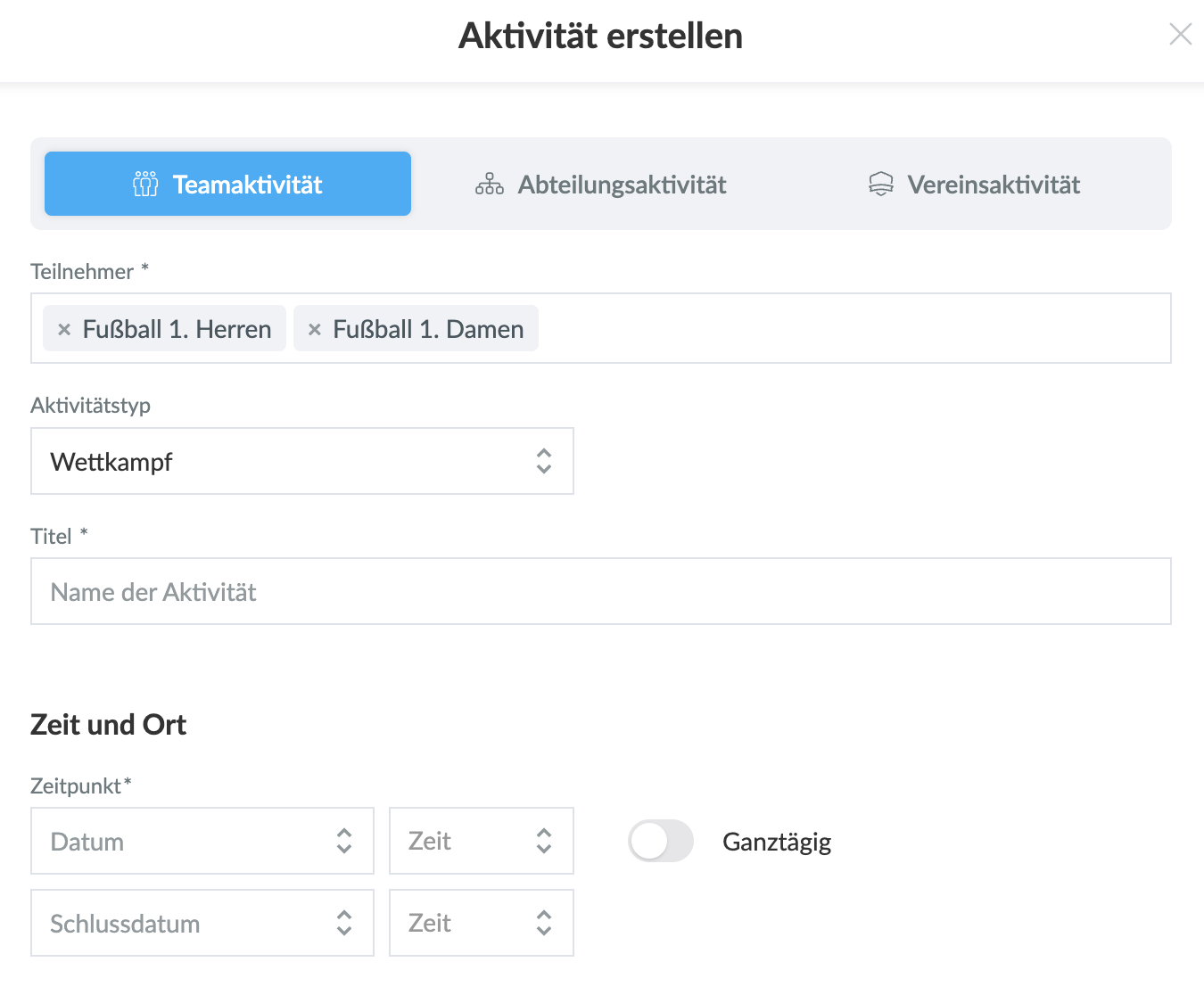
- Wähle Aktivität erstellen und Teamaktivität
- Wähle dann die Teams aus, die an der Aktivität teilnehmen sollen.
- Gebe alle notwendigen Informationen ein, wie Sie es bei einer Aktivität für ein Team
- Klicke auf Speichern. Dann wird die Aktivität in den Kalendern der ausgewählten Teams sichtbar.
Was this article helpful?
0 of 1 thought this was helpful