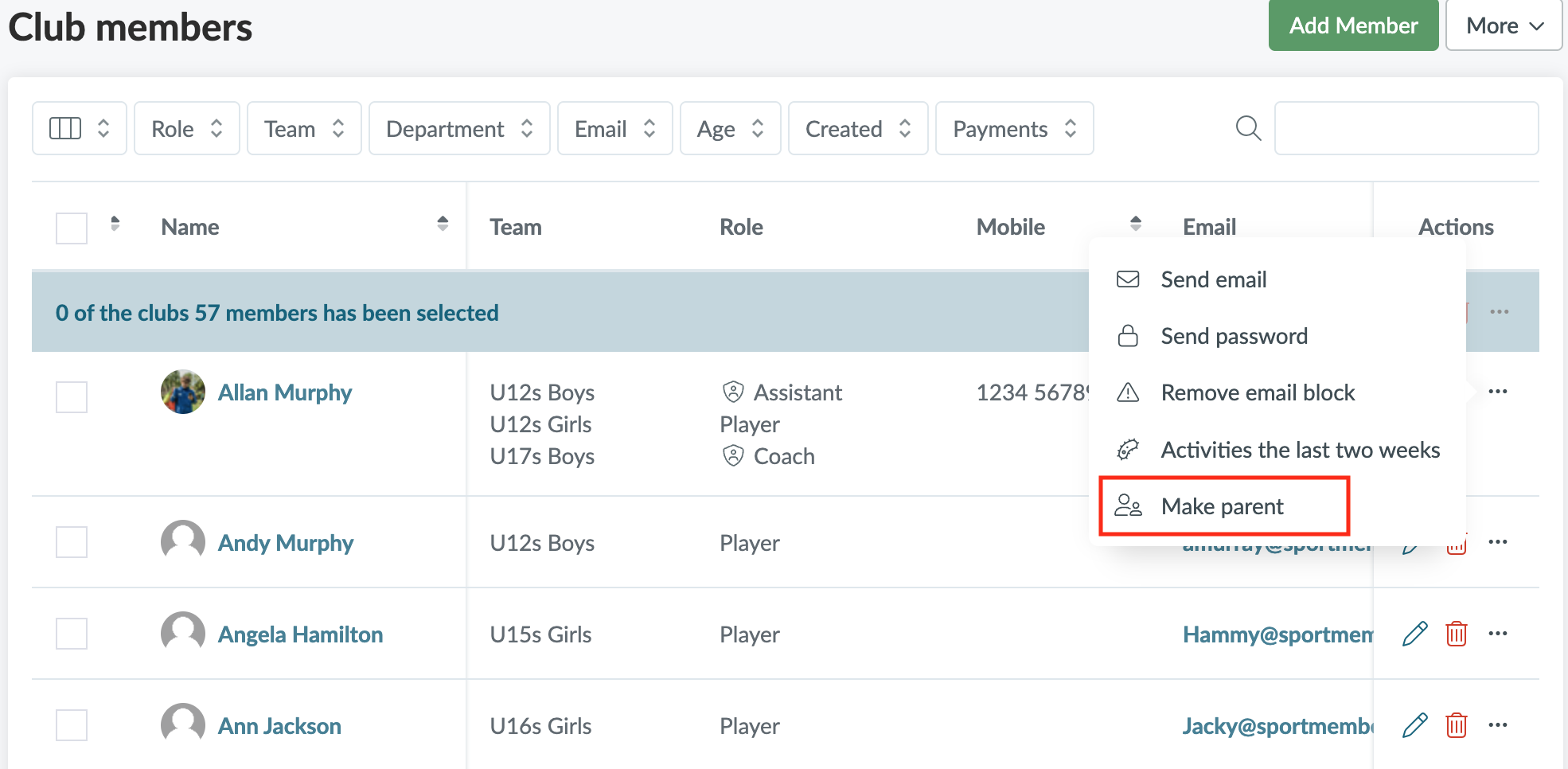
Click on Members and find the person you want to create as a parent
Then click on
Click on Make parent
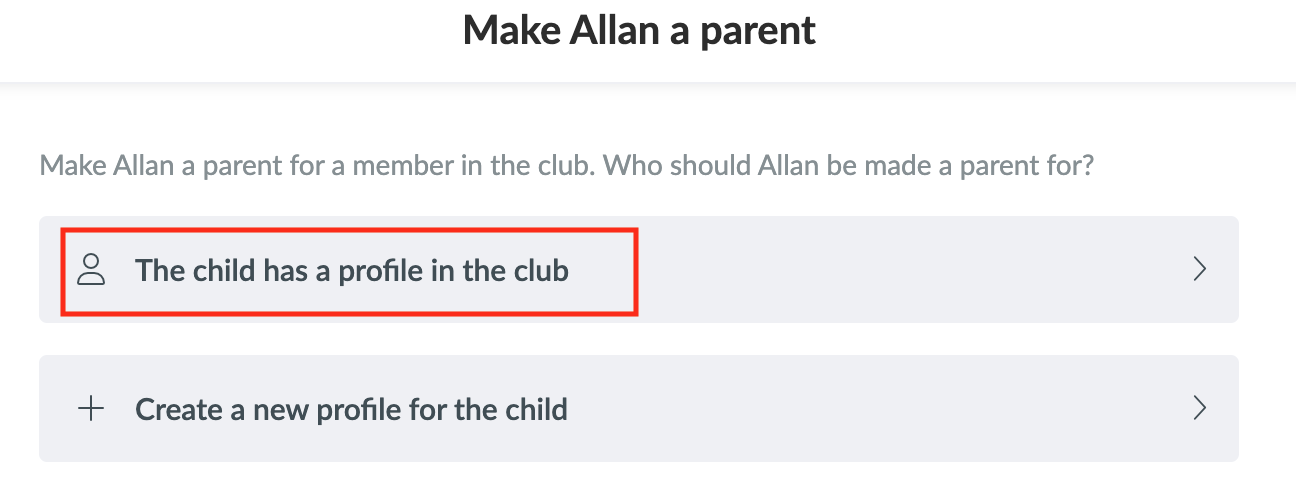
Then click on The child has a profile in the club, if the child is already registered as a member in your club
Then, search for the child's name in the search bar and click on Create
A confirmation email will be sent to the member. Once the member has confirmed the connection, you will be able to see the parent/child relationship in your member list by filtering by Parent.
NOTE: Sometimes a parent may accidentally create a member profile for themselves instead of their child. In this case, after clicking The child has a profile in the club and finding the child in the club, you can activate Remove X from the club afterwards. The parent will be removed as a member in the club but will keep their parent profile